Free resume template for Word, Google Docs and PDF
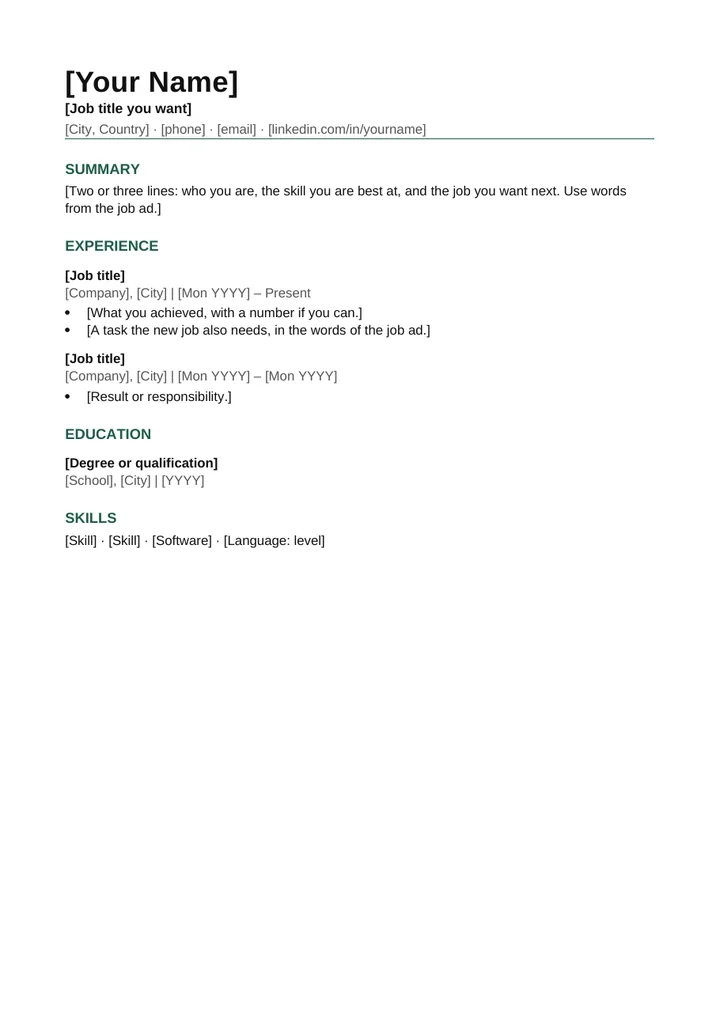
A simple Word resume with one column and standard headings.
Key takeaways
- One plain resume in one column: Summary, Experience, Education and Skills.
- Two downloads with the same layout, one for Word and one prepared for Google Docs; the PDF shows the finished page.
- The page is A4, and switching to US Letter takes two clicks.
What’s in the Word template?
- Built-in Word heading styles, so one change restyles every section heading
- Summary, Experience, Education and Skills in that order
- A .docx for Word, Pages or LibreOffice and a separate version for Google Docs
- A sample PDF to compare your result with
Why use a Word file for a resume?
Because almost every employer and editor can open it, and you can change everything. Word, Google Docs, Pages and LibreOffice all read .docx, so you can edit on any computer. The layout uses real text and Word’s own heading styles rather than text boxes, which keeps it easy to edit and easy for recruiting software to read in order.
How do I change the look in Word?
Use the styles instead of formatting each heading by hand. Right-click Heading 1 in the Styles gallery, choose Modify, and pick a new font, size or colour; every section heading changes at once. Do the same with the Normal style for body text. To keep the page to one sheet, reduce the space before headings rather than shrinking the font.
Which version should I download?
Download the Word file if you edit in Word, Pages or LibreOffice, and the Google Docs version if you work in Google Drive; both have the same layout. The PDF is there to show you the result, because PDF is the format to send but not to edit.
| You use | Download | When you are done |
|---|---|---|
| Microsoft Word | Word (.docx) | File → Save As → PDF |
| Google Docs | Google Docs version (.docx) | Upload to Drive, Open with → Google Docs, then File → Download → PDF document |
| Pages or LibreOffice | Word (.docx) | Export as PDF |
How do I change it from A4 to US Letter?
In Word, choose Layout → Size → Letter. In Google Docs, choose File → Page setup and set Paper size to Letter. The one-column layout does not need any other change.
Other versions
Word resume: questions and answers
Should I send the .docx or a PDF?
A PDF, unless the job ad or the application system asks for a Word file; then send the .docx.
Why does my layout move in Google Docs?
Use the Google Docs version, which is prepared for Docs. If spacing still shifts, check that the paper size matches the file.
Can I add a second page?
Yes. Keep typing and Word adds a page; the headings keep their style.
Which fonts are safe?
Fonts that come with Word and Google Docs, such as Calibri or Arial, look the same on the employer’s screen.
Get 10 more templates
We’re making 10 more free templates. Leave your email and we’ll send them to you when they’re ready.
We store only your email address, the page you signed up on, the time and what you agreed to. We use it for this one thing and never share or sell it. To be removed, email info@freetemplates.app. Privacy