Free invoice template for Google Docs
A simple document invoice to open in Google Docs or Word, fill in and send as a PDF.
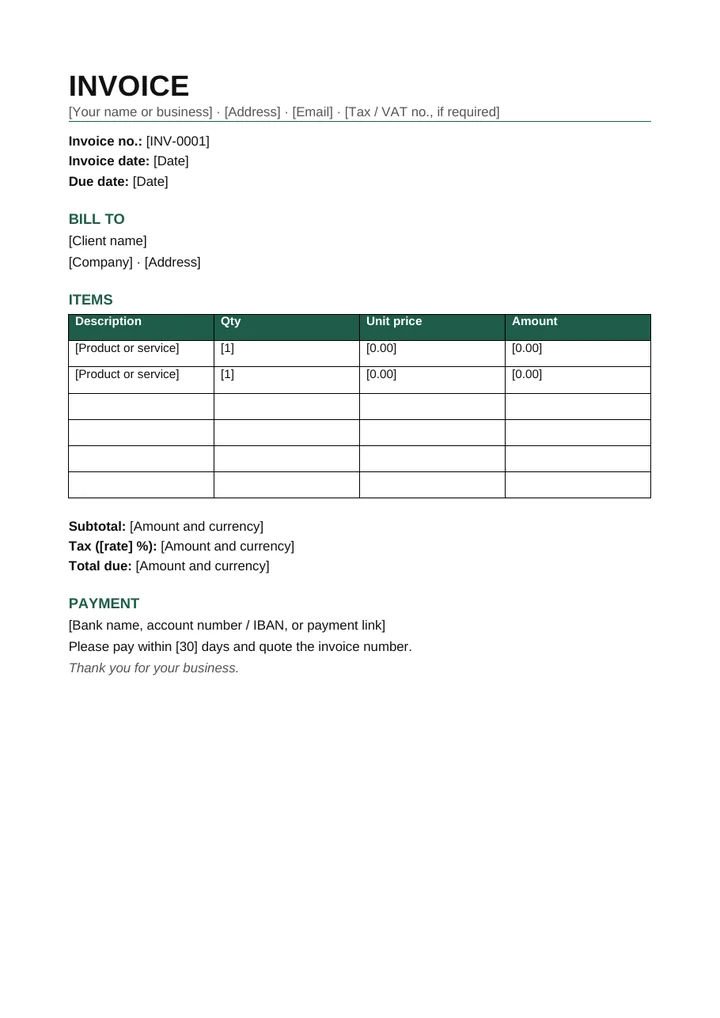
Also as: PDF, 49 KB
What’s included
- A Word (.docx) file that opens in Google Docs, Word, Pages and LibreOffice
- Invoice number, dates, bill-to, an item table and payment details
- Standard font, so the layout stays the same in Google Docs
- PDF to see the layout
How to use it
- Download the .docx and upload it to Google Drive.
- Open it with Google Docs (right-click → Open with → Google Docs).
- Replace every [text in brackets] and fill in the item table.
- Choose File → Download → PDF document and send the PDF.
Document or spreadsheet?
A document does not calculate, so you add up the lines yourself. For many lines, or if you want tax worked out for you, the Excel invoice (which also opens in Google Sheets) is easier.
What an invoice should include
Your name and address, the client’s, a unique invoice number, the invoice date, a description of the work or goods, quantities and prices, tax if you charge it, the total due, the due date and how to pay.
Some countries also require a VAT or tax number, a business registration number or particular wording. Rules differ, so check what applies where you work.
Other versions
- Invoice template (Excel and PDF)
- Excel invoice
- Printable invoice to fill in by hand
- Hourly consultant invoice
Questions and answers
Do I need a Google account?
Not to download. You need one only to edit the file in Google Docs.
Will the layout change in Google Docs?
Only slightly. It uses a standard font and a simple table.
Can I use it in Word?
Yes, it is a normal Word file.
Is it free?
Yes, with no sign-up.
Does it calculate totals?
No. Use the Excel version for automatic totals.
Get 10 more templates
We’re making 10 more free templates. Leave your email and we’ll send them to you when they’re ready.
We store only your email address, the page you signed up on, the time and what you agreed to. We use it for this one thing and never share or sell it. To be removed, email info@freetemplates.app. Privacy